
Studio notes
Buy Ready-Made Software or Build Your Own? The Hidden Costs of Both, and a Simple Test to Decide
When is off-the-shelf or SaaS software enough, and when does custom software pay off? Hidden costs, lock-in, the hybrid path and a simple decision checklist.
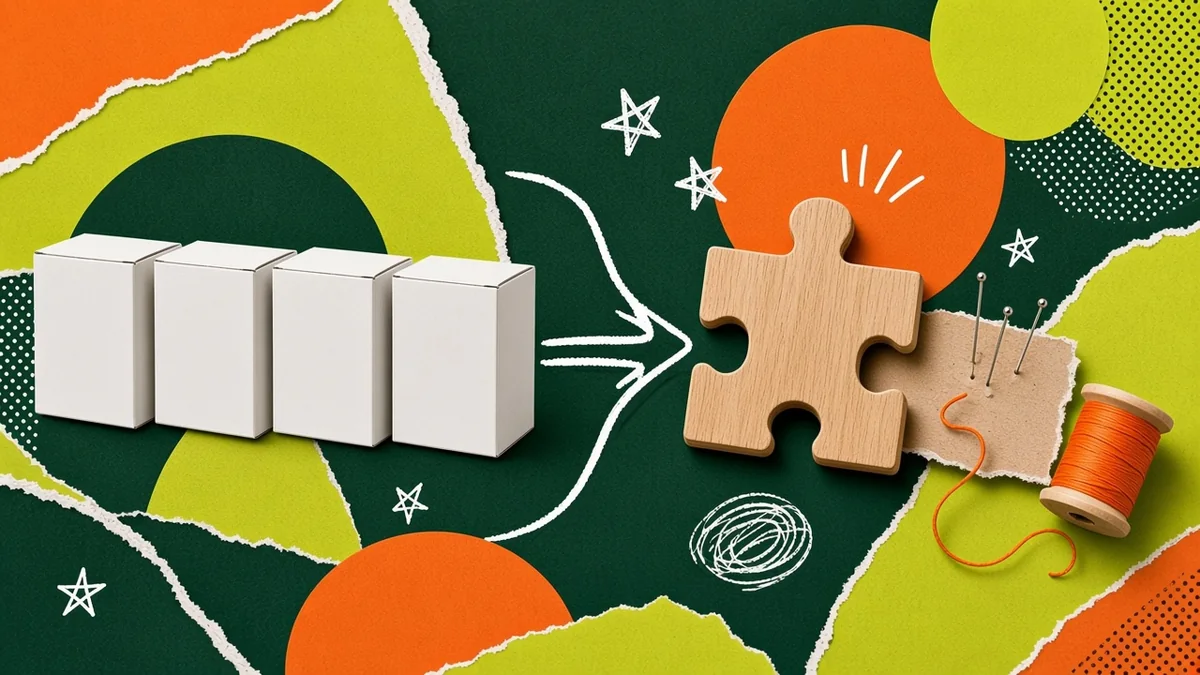
Imagine you run a sports equipment shop with two branches. Sales, stock and customer accounts have been held together with a couple of ledgers and a spreadsheet, and it's no longer working. One friend tells you: "Just sign up for an off-the-shelf system. You pay a monthly fee and that's the end of it." Another says: "Off-the-shelf software never quite fits how you work. Get something built."
Both have a point, and that's exactly why the decision feels hard. "Ready-made or custom?" has no permanent answer, but it can be broken down into a few smaller questions that do have clearer answers. That's what this article does: where each option shines, where its hidden costs sit, and how to combine the two.
One thing up front. At Behvandi Studio we build custom software, but honestly, for a lot of jobs, building is not the right call.
What do "ready-made" and "custom" actually mean?
Ready-made (or off-the-shelf) software is a product built for thousands of businesses, and you are one of its customers: accounting software, an online store builder, a customer relationship manager (CRM), a booking system and so on. These days most of it runs online on a subscription, a model known as SaaS, or "software as a service". You don't install anything; you log in through a browser or an app and pay monthly or yearly.
In its official definition of this model, the US National Institute of Standards and Technology (NIST) says the customer does not manage the underlying infrastructure or the application itself, except possibly for some limited settings. That one sentence sums up both the appeal and the catch of ready-made software: the maintenance isn't your problem, and neither is the control.
Custom software is built for one specific business, around the way that business actually works. If the contract is written properly, you own it, you decide how it changes, and you also carry the cost of building and maintaining it.
Between the two there's a whole middle ground: ready-made products you can extend with add-ons or configure deeply, open-source systems whose core is free but needs setting up and adapting for you, and no-code tools that let you assemble something software-like without programming. We've covered where no-code tools hit their ceiling in "Custom software or no-code: a 2026 decision", also on this site. Here we're looking at the bigger choice: buying or subscribing to a finished product, versus building.
Where ready-made software is the right choice
If the thing you want to put into software is done more or less the same way in every business, building it rarely makes sense. Accounting, payroll, company email, invoicing, simple appointment booking and a small online shop are clear examples. Their rules are set by law or by common market practice, not by your preferences. A product that has served many customers for years has probably already met, and solved, situations you haven't run into yet.
Ready-made is usually the better option in these situations too:
- You don't yet know exactly what you need. A few months on an off-the-shelf product is one of the best ways to find out.
- You need to be up and running this month and can't wait several months.
- Your upfront budget is tight and a monthly fee is easier than one large payment.
- Nobody on your team has time to define, oversee and look after a bespoke system.
If most of that sounds like you, the answer is probably clear, and there's no reason to rush into building.
The costs that aren't on the price tag of ready-made software
The subscription fee is only part of the real cost. A few others tend to show up later.
Costs that grow as you grow. Many subscription products charge per user, per location or by volume. With five staff the fee is small. With thirty people and three branches it has multiplied, and it comes back every year. Sometimes the one feature you need only exists in a higher tier, so you pay for a bundle you mostly won't use.
You bend your work to fit the software, not the other way round. Every ready-made product has its own way of doing things. If yours is a little different, staff find workarounds: a spreadsheet next to the system, a notebook for exceptions, a messaging group to coordinate. None of that ever appears on an invoice, but it eats people's time and breeds mistakes.
Connecting to everything else. Your sales software needs to talk to accounting, accounting to your payment provider, stock to the online shop. Some of those connections exist out of the box and some don't. A missing one either has to be built, or someone ends up copying data from one system to another by hand every day.
Where is your data, and how do you get it out? Your customer history, years of sales and your pricing may be the most valuable digital asset your business has. With a subscription product, it sits on someone else's servers. The key question is whether, if you ever decide to leave, you can take all of it with you in a usable format, or just a few summary reports. This matters enough that the European Union's Data Act, which has applied since September 2025, sets rules to make it easier for customers to move their data and switch between cloud service providers. Most businesses, though, don't have a law like that behind them, and need to ask this question themselves before they start.
Depending on someone else's decisions. The vendor can raise prices, drop a feature, get acquired or retire the product altogether. When your data and routines are so embedded in one product that leaving becomes practically impossible, that's called vendor lock-in. The longer you stay, the harder it is to leave and the weaker your negotiating position.
Access that isn't in your hands. An online service is bound by the laws of the country it operates from, and depending on where your business is, sanctions or export rules can limit access, payments or even retrieving your own data. GitHub is a well-documented example: it restricted accounts for users in Iran for a period and later restored them after obtaining a licence from the US Treasury. Its official trade controls page also states that, for certain categories of restricted users, it cannot allow private repository content to be downloaded or deleted. That's a tool for programmers, but the lesson applies to any subscription software. Local providers carry their own risks too, from internet outages and restrictions to the staying power of the company itself.
Building has costs people talk about less
It wouldn't be fair to tell only one side. Custom software has costs that rarely come up in the first meeting.
Time. You can start using a ready-made product today. The first version of a custom system, even a small one, takes weeks or months.
Your own time. No team knows your business better than you do. Building custom software means you or a colleague has to explain how things work, review early versions and make decisions.
Maintenance for as long as the software lives. Delivery isn't the finish line. Hosting, backups, security updates and bug fixes are ongoing costs. With a subscription they're bundled in; here you need to plan for them separately. We break these costs down in "What Goes Into the Cost of Building an App or Website?" on this site.
Depending on the builder. Lock-in isn't unique to ready-made products. If you don't hold the code, there's no documentation, or only one person understands how it works, you're effectively tied to that team. The fix is simple but has to be in the contract from day one: ownership of the code, access to the servers, and documentation.
The temptation to build everything. When something is being made "just for us", the wish list grows very easily. The result is software that arrives late, costs more and has plenty of features nobody ever uses.
When building really pays off
Custom software earns its keep when one of the following is genuinely true, and even more so when several are.
The part that sets you apart. Every business has one or two things that are the real reason customers come: a particular way of pricing, an unusual subscription model, a service competitors don't offer. Put that on the same software your competitor uses, and little by little you end up doing what they do. Your accounting can look like everyone else's. The thing that makes you special shouldn't.
An unusual way of working. Say you run a bespoke furniture workshop. Each order starts with measuring at the customer's home, goes through several rounds of approving designs and fabrics, involves a deposit and instalments, and is built with help from partner workshops. Standard sales and inventory software wasn't made for that journey, and sooner or later the side spreadsheets come back.
Lots of connections. When you need to join up several systems that were never designed to work together, a custom layer between them can turn out simpler and cheaper than patching together a handful of ready-made tools.
When you've grown. A subscription that rises with headcount and volume can, at some point, cost more over several years than building and maintaining your own system. Where that point lies is different for every business, and only your own numbers can tell you, not a rule of thumb.
When control over data and access is critical. If your data is sensitive, if your industry or country has rules about where data is kept, or if you don't want your operations to hang on another company's decisions, full control has real value. For anyone working with money and markets the case is even clearer. Someone running a trading bot with a proprietary strategy usually doesn't want that logic sitting on someone else's platform, or to be waiting on another company's support desk on a volatile market day.
When the software is your product. If you plan to sell the software or deliver your service through it, building it is part of the business itself, not a side expense.
The third way, which is often the best one
In practice, few businesses do well with "all ready-made" or "all custom". The more common and usually wiser route is to use ready-made software for the generic work, and build only the part that is truly yours.
Back to the sports shop. Its accounting can run on a reputable off-the-shelf product and its online payments through an existing payment provider. What might be worth building is a loyalty programme that matches the shop's own way of giving discounts and points, connected to sales at both branches.
The key to this mix is connection. Many ready-made products offer an official way to exchange data with other software, called an API. Think of it as a standard service counter where other programs can hand information over and pick it up. If the product you choose has one, you're free to build custom pieces alongside it. If it doesn't, treat that as a serious limitation from the start.
The other form of the third way is starting small. Instead of commissioning your ideal system in full on day one, build the smallest version that solves the main problem, often called an MVP, or "minimum viable product". Then let real use show you what's needed and what isn't. Plenty of features that look essential on day one quietly drop off the priority list after a few months of real work.
A simple test before you decide
Answer these honestly for the part of your business you want to put into software:
- If a competitor worked exactly this way, would I lose any of my edge?
- Have I actually tried two or three ready-made products, or have I just assumed they won't fit?
- How much of my need does the best ready-made option cover, and how important is the part it leaves out?
- Where will the subscription cost be with the growth I expect over the next few years? What would building and maintaining cost over the same period?
- If my access to this software were cut off tomorrow, how many days could my business keep going?
- Is there someone on my team with time to define and follow a software project?
- How much time do I have? Do I need to be running this month, or can I wait a few months?
The answers usually point the way on their own. If you said "no" to the first question and "not yet" to the second, start with a ready-made product. If an important part of your work falls outside what ready-made products cover, and that part is your edge, it's time to take building seriously. And if the answers are mixed, as they often are, the third way is probably for you.
Questions to ask before you sign
Ask a ready-made software vendor:
- If I leave, in what format and how completely can I take my data with me?
- How does the price change as I add users, locations or volume? How has it changed over the past few years?
- Is there an official way to connect it to other software?
- Where is the data stored, and who can access it?
Ask a custom software builder:
- After delivery, who owns the code, the documentation and access to the servers?
- What exactly is in the first version, and what isn't?
- Is there anywhere you'd recommend I use a ready-made tool instead of building?
- How do maintenance and support work after delivery, and what do they cost?
That third question is a good litmus test. A builder who wants to build absolutely everything may be thinking more about the project than about your business. You'll find a fuller list in "10 Questions to Ask Before You Order an App or Custom Software" on this site.
The bottom line
Choosing between ready-made and custom is less a technical decision than a decision about your business: where it's like everyone else's, and where it isn't. For the parts that are alike, lean on the experience built into ready-made products and spend your money elsewhere. For the part that sets you apart, have a tool that's cut to fit the way you actually work.
At Behvandi Studio, building is what we do, from custom business software, websites and apps to trading bots and AI tools. But before anything gets built, we can help you draw that line: which part genuinely needs building, which can be handled by an off-the-shelf tool, and how the two should connect. If you're torn between the two paths, or you have a ready-made system that no longer keeps up and you're not sure whether to replace it or build something alongside it, we'd be glad to hear from you through the "Contact us" page on the Behvandi website.
Comments
No comments yet. Be the first to write one.