
Studio notes
Signed Package, Poisoned Code: Why npm Provenance Won't Stop a Supply Chain Attack
Two npm packages with valid provenance stole wallet keys and tokens at install time. What provenance doesn't prove, and the settings to change this week.
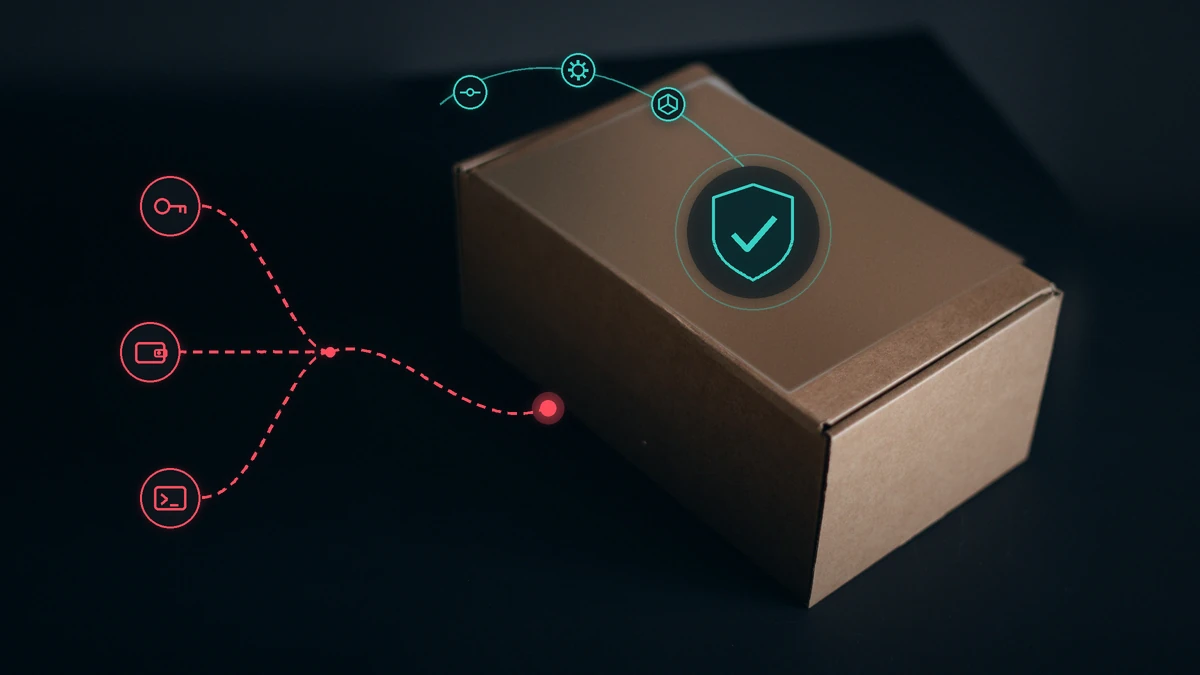
At 00:09 UTC on 9 November 2026, version 13.3.0 of @ethersphere/bee-js appeared on npm. Nothing looked wrong. The package came out of the project's own release workflow and carried a valid provenance attestation. There was just one problem: the project team hadn't released it. An attacker had, and the code they added stole the Swarm node's wallet key and its password at install time, then planted a remote-access tool on the machine.
A month earlier, on 8 October, the same pattern played out with the tensorlake package. Again the provenance was valid, and again the release went out through the official pipeline.
This piece is for developers and product teams working with Node.js, especially anyone whose laptop or CI runner can reach exchange API keys, crypto wallets or cloud credentials. The short version: provenance tells you where and by which workflow a package was built. It does not tell you the code is safe. Your real defences are elsewhere, and most of them come down to a few lines of configuration.
Two incidents, one pattern
bee-js and Swarm Desktop, 9 November
According to the project's own security advisory, 13.3.0 was published at 00:09 UTC and pulled from npm at about 01:25, so it was live for under an hour and a half. The malicious change was tiny. The script scripts/generate-version.cjs had been moved from the prepare hook to postinstall, and the scripts folder had been added to the published files. That meant the script ran on every npm install, whether or not anyone ever imported the library.
The script itself did very little. It fetched code from an attacker-controlled domain and ran it. The second stage grabbed config.yaml and swarm.key from the Swarm Desktop data folder and sent them off. Together, those two files give you the node wallet's private key. It then installed a Go remote-access agent with persistence on Linux, macOS and Windows. Half an hour later, the same loader shipped in Swarm Desktop 0.56.2.
In its post-incident report, the Swarm Foundation is blunt about the cause. The attacker held a maintainer's credentials and the token of the automated release account. With those two, the pipeline would build, sign and publish without a second person approving anything. The report makes another point worth remembering: projects that committed a lockfile never received 13.3.0.
tensorlake, 8 October
Tensorlake's advisory says a maintainer account was compromised. The attacker pushed malicious code straight to the repository and published it through the project's own release workflow, "so the package carries valid npm provenance." Version 0.5.144 stayed on npm for about 1 hour 40 minutes.
This time the payload sat in a preinstall hook, and its shopping list was long: GitHub and npm tokens, AWS and GCP credentials, Kubernetes and Vault tokens, SSH and GPG keys, .env files, browser-saved passwords, crypto wallets, and AI tool and MCP configuration. It used the stolen tokens to republish itself into other packages and repositories the victim could write to. Worst of all, it installed a service called gh-token-monitor that deletes the user's home directory if the stolen GitHub token is revoked. StepSecurity reported that the malicious commits landed on main without a pull request, and that the payload skips itself on CI, so developer machines were the real target.
What they have in common
Strip away the details and four things repeat:
- The release came through the project's official channel, not a fake account or a lookalike name.
- The provenance attestation was valid.
- Code ran at install time, with no import needed.
- The window was short, an hour or two. That was enough.
What provenance actually proves
npm's documentation is clear on this. Provenance gives you a verifiable link between a package and its source code and build instructions. Under "Provenance limitations," it says outright that provenance "does not guarantee the package has no malicious code."
Put plainly, provenance answers one question: "Was this package built by that repository's workflow?" In both incidents the answer was yes. The problem sat one step earlier: who could push code to that repository, or trigger a release?
That doesn't make provenance useless. It blocks a different attack, such as someone stealing an npm token and publishing from their own laptop. It also helps afterwards. The researcher who reported bee-js used the provenance to show exactly which workflow run and which commit the package came from: an unsigned commit with no pull request, sitting on no branch. So keep provenance, but don't treat it as a verdict on whether a package is safe.
The real choke point: install scripts
In neither case did a victim need to run the library even once. npm install was enough, because npm runs dependencies' preinstall and postinstall hooks automatically. That makes this the most effective place to put a control.
The good news is that npm 12, released on 8 July 2026, changed the default. According to the release changelog, dependency lifecycle scripts are now blocked unless the root package's allowScripts policy allows them.
The bad news is that you are probably not on npm 12 yet. npm ships with Node.js, and according to the official Node.js release index, the latest LTS releases from 10 and 11 November still bundle older npm versions:
| Node.js version | Bundled npm | Dependency install scripts |
|---|---|---|
| 26.13.1 (LTS) | 11.20.0 | Run, with a warning |
| 24.22.3 (LTS) | 11.19.1 | Run, with a warning |
| 22.23.5 (LTS) | 10.9.9 | Run; no allowScripts policy |
| Any version + npm 12 | 12.x | Blocked unless you approve them |
npm 11 gained the allowScripts policy in 11.16, but per its documentation an unreviewed script still runs "with a notice" unless you turn on strict-allow-scripts. So the first thing to do today is run npm -v on your laptops and CI images.
Consumer checklist: what to change this week
1. Take the lockfile seriously
Commit package-lock.json (or pnpm-lock.yaml) and use npm ci instead of npm install in CI. Swarm's report shows that this alone kept dependent projects away from 13.3.0. Without a lockfile, open version ranges such as ^13.2.0 could have resolved to the poisoned release.
2. Control install scripts
If you can, move to npm 12 (npm install -g npm@12). It supports Node.js 22.22.2 and later, 24.15.0 and later, and 26. After an install, npm install-scripts ls lists packages whose scripts were skipped. Approve only the ones you genuinely need with npm install-scripts approve <pkg>.
Here's the subtle part. According to the command's documentation, approvals are pinned to the exact version by default (pkg@1.2.3), so a new release of an approved package needs reviewing again. In the bee-js case, the postinstall script was brand new and had no approval behind it. Going by npm 12's documented behaviour, it would not have run.
If you're staying on npm 11 for now, put this in the project's .npmrc:
# project .npmrc — npm 11.16+ or npm 12
strict-allow-scripts=true
min-release-age=3
min-release-age-exclude=@your-org/*
With strict-allow-scripts=true, an install that hits an unreviewed script fails instead of carrying on with a warning. These settings don't exist in npm 10. There, use npm ci --ignore-scripts in CI and build the packages that genuinely need it as a separate step.
If you use pnpm, its current documentation says strictDepBuilds is on by default, so an install with unreviewed build scripts fails. Keep approvals in allowBuilds and stay away from dangerouslyAllowAllBuilds.
3. Give new versions a day or two
Since 11.10, npm has a min-release-age setting: versions published fewer than the given number of days ago won't be installed. bee-js 13.3.0 was live for about 75 minutes and tensorlake 0.5.144 for about 100. Even with a one-day window, neither would have been eligible at any point while it was on npm.
This control has a cost. If an urgent security fix comes out, the same window holds it back. In that case npm keeps the vulnerable version, warns you, and npm audit fix exits with an error. The answer is a deliberate exception: add the package to min-release-age-exclude, or shorten the window for that one install. Put your organisation's internal packages on the exclude list from day one.
In pnpm the equivalent is minimumReleaseAge. Its default is 1,440 minutes, but it isn't strict unless you set it yourself: if no version meets the rule, pnpm falls back to a newer one. To make it bite, set the value explicitly in pnpm-workspace.yaml.
4. Keep secrets away from the install surface
The tensorlake payload stood down on CI and went after developer laptops, because that's where the real secrets live. If the machine where you run npm install also holds exchange API keys, wallet files or cloud admin credentials, any poisoned package can reach all of them. Install dependencies inside a dev container or VM that can't see your home directory or wallets. Apply the same least-privilege rule to exchange keys that we covered in our article on AI agent trading bots on the Behvandi website: a key that lives on a development machine should never have withdrawal or transfer permissions.
5. Treat scanners as the last line, not the first
npm audit and Dependabot flag the bad bee-js version because GitHub's advisory database lists it as malware. But that entry only appears after someone spots the problem. In the first hour or two, the scanner sees nothing, which is exactly why the two previous controls matter.
If you publish packages yourself
In both incidents the attacker used the project's own release pipeline. The changes the Swarm Foundation made afterwards are a good list for any team that publishes packages:
- Human approval in a protected release environment. Every release or installer signing now needs a person to approve it in a protected GitHub environment. In the report's words, "A stolen token alone can no longer publish."
- No long-lived tokens. Publishing uses trusted publishing, where npm uses OIDC to verify the build came from the repository's own workflow.
- Immutable tags. A release tag can't be deleted or moved once pushed.
- No admin bypass. Repository admins can no longer skip review or required checks on the main branches.
One point deserves emphasis: trusted publishing on its own would not have stopped tensorlake. There, the attacker used a maintainer's account to put code on main, and the official workflow published it. What breaks that chain is mandatory pull request review plus a human approval before release. Treat release-bot tokens like a production root key, not like an ordinary CI setting.
If you installed a poisoned version
Order matters here:
- Take the machine offline. Swarm's report notes that the remote-access tool keeps working for as long as the machine is online.
- Look for traps before revoking tokens. With tensorlake, revoking the GitHub token before removing
gh-token-monitorwiped the home directory. Removal steps are in Tensorlake's advisory. - Rotate everything from a clean machine. Every credential that machine could reach needs replacing. Move funds from any wallet whose keys were on it to a fresh wallet.
- Rebuild the machine. GitHub's advisory is explicit: removing the package doesn't guarantee that whatever it installed is gone.
- Check your own packages. If an npm publishing token was on that machine, look for versions you didn't release.
There's one more trap. Swarm warns that the version an app shows today isn't a reliable check: a Desktop install that auto-updated through 0.56.2 may now show the clean 0.56.3. Go by logs and indicators of compromise instead.
The bottom line
Provenance answers "where did this come from?", not "what's inside?" In the two recent npm incidents, packages arrived through the official channel with valid attestations and did their damage at install time. Two cheap controls, blocking unreviewed install scripts and waiting a day or two before accepting new versions, would have stopped both, going by the tools' documented behaviour. The cost is a little friction when you update. Start today with npm -v.
If your Node.js product handles money, wallets or exchange keys and you want help reviewing your build and release pipeline or separating secrets from your development environment, you can reach us through the Order page on the Behvandi website.
Comments
No comments yet. Be the first to write one.