
Studio notes
A Support Assistant Over Your Own Docs with .NET and SQL Server: From Chunking to Evaluation
Build a RAG support assistant in C# on SQL Server 2025: VECTOR type and exact search, chunking, cited answers, refusing when docs lack the answer, simple evals.
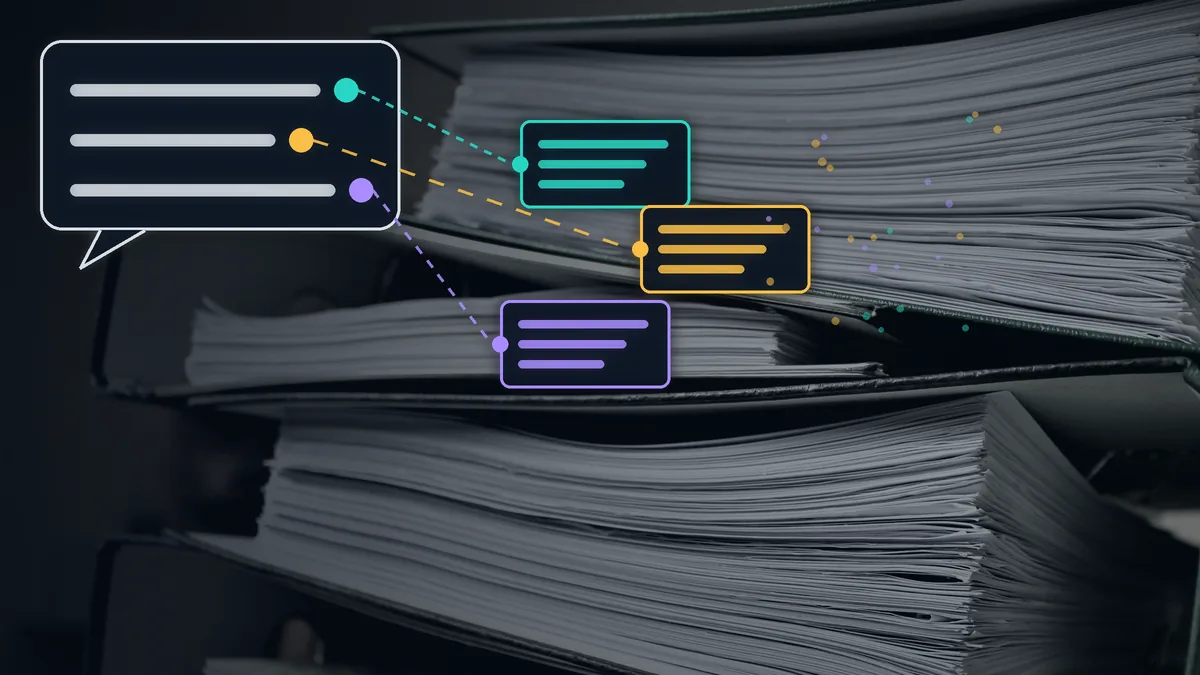
If your product data already lives in SQL Server and your team writes C#, you probably don't need a separate vector database to build an assistant that answers from your help docs. In SQL Server 2025 the VECTOR data type and the VECTOR_DISTANCE function are part of the engine and generally available. Your documents, their embeddings, tenant isolation and permissions can all stay in the database you already back up and monitor.
The concepts behind RAG are covered in an earlier Persian-language overview on this site. This article is about building it. What is actually production-ready in SQL Server and what is still preview; how to chunk documents so it doesn't come back to bite you; where the assistant should refuse to answer; and a small evaluation set that shows exactly where the system breaks. The sample code was compiled and run, and the last section says precisely what was executed and what wasn't.
What SQL Server actually supports today
Microsoft's documentation is clear; you just need to read carefully which feature is GA where:
| Feature | SQL Server 2025 | Azure SQL Database |
|---|---|---|
VECTOR type and VECTOR_DISTANCE |
GA | GA |
Half-precision vectors (float16) |
Preview; requires PREVIEW_FEATURES |
GA |
Vector index (DiskANN) and VECTOR_SEARCH |
Preview; requires PREVIEW_FEATURES |
GA, with the latest index version |
On Azure SQL Managed Instance, vector features are available only with the "SQL Server 2025" or "Always-up-to-date" update policy, and vector indexes are GA only with the latter.
The vector index deserves a closer look. The latest index version, currently available only in Azure SQL Database, SQL database in Fabric and Managed Instance on Always-up-to-date, supports INSERT and UPDATE and applies WHERE filters during the search. The earlier version does not. The table becomes read-only once the index exists, unless you accept stale results via ALLOW_STALE_VECTOR_INDEX. Filters are applied after retrieval, so asking for one tenant's chunks can return fewer rows than you requested. The table also needs a clustered primary key on an int column. Creating an index requires at least 100 rows with non-null vectors.
For a SaaS support assistant the practical conclusion is simple: you don't need a vector index. Microsoft itself recommends exact search below roughly 50,000 vectors, counting the vectors left after your WHERE filter. A help center of a few hundred pages, cut into chunks of a few paragraphs, lands in the thousands, not the tens of thousands. Exact search with VECTOR_DISTANCE is GA, needs no preview flag, and applies the tenant filter before ranking. If your product is installed on customers' own servers, that last point decides it. In our view, switching on a preview feature in a customer's database, for something that works fine without it, is a risk with no upside.
Check one more number before you pick an embedding model. Each float32 element takes four bytes and the maximum is 1,998 dimensions. OpenAI's text-embedding-3-large returns 3,072 dimensions by default, which won't fit. You can ask the API for a shorter vector with the dimensions parameter, which OpenAI recommends, or move to float16, which is still preview on SQL Server 2025. The first option is almost always the better one. If you truncate vectors yourself, re-normalise them, or dot distances stop meaning anything.
Table and query
CREATE TABLE dbo.DocChunks
(
    Id             int IDENTITY(1,1) NOT NULL PRIMARY KEY,
    TenantId       varchar(64)    NOT NULL,
    ChunkId        varchar(200)   NOT NULL,
    DocId          varchar(200)   NOT NULL,
    HeadingPath    nvarchar(400)  NOT NULL,
    Content        nvarchar(max)  NOT NULL,
    Embedding      vector(1536)   NOT NULL,
    EmbeddingModel varchar(100)   NOT NULL,
    UpdatedAt      datetime2(0)   NOT NULL DEFAULT SYSUTCDATETIME(),
    CONSTRAINT UQ_DocChunks_Tenant_Chunk UNIQUE (TenantId, ChunkId)
);
GO

DECLARE @q vector(1536);   -- query embedding, sent from the app as SqlVector<float>
DECLARE @TenantId varchar(64) = 'acme';

SELECT TOP (4) ChunkId, HeadingPath, Content,
       VECTOR_DISTANCE('cosine', Embedding, @q) AS Distance
FROM dbo.DocChunks
WHERE TenantId = @TenantId
ORDER BY Distance;
Three choices here are deliberate. TenantId is a real column from day one, because a support assistant that shows customer A's private guide to customer B no longer has a quality problem; it has a data leak. EmbeddingModel is stored because vectors from two different models aren't comparable, and the day you switch models you need to know which rows are stale. HeadingPath is kept separately because it is used twice: in the embedding and when showing the source to the user.
Vector columns have their own rules. Apart from NULL and NOT NULL, no constraint, not even DEFAULT, can be placed on them, and they can't take a B-tree index. You can only add them as an INCLUDE column of a regular index.
On the C# side, Microsoft.Data.SqlClient 6.1 and later provides SqlVector<float> and sends vectors in binary form. Older drivers still work, but the vector travels as a JSON string:
await using var cmd = new SqlCommand(sql, conn);
cmd.Parameters.AddWithValue("@k", k);
cmd.Parameters.AddWithValue("@TenantId", tenantId);
cmd.Parameters.Add(new SqlParameter("@q", SqlDbTypeExtensions.Vector)
    { Value = new SqlVector<float>(queryEmbedding) });
Chunking: unglamorous, and where most of the leverage is
When a support assistant can't find the right passage, the first place to look is not the embedding model; it's where the text was cut. Fixed-length splitting, say every 500 characters, is the simplest approach and usually the worst. It halves tables, separates step three of a guide from steps one and two, and leaves a sentence like "it cannot be edited after it is issued" orphaned. What can't be edited?
The approach in the sample is plain. Split on the document's own headings, keep each section whole if it fits under the size cap, and break long sections only on paragraph boundaries. Most importantly, embed the heading path together with the text:
public sealed record Chunk(string Id, string DocId, string HeadingPath, string Text)
{
    // What we embed: the heading path travels with the text, so a chunk that
    // only says "cannot be edited after it is issued" still knows it is about invoices.
    public string EmbeddingText => $"{HeadingPath}\n{Text}";
}
We won't give you a magic chunk size. What works for a short FAQ is wrong for API reference docs. Tune it with the evaluation set described below, not by guessing.
If any of your documents or users are Persian, normalise characters up front. The Arabic "ي" and "ك" are different code points from the Persian "ی" and "ک", so a document typed on a Persian keyboard and a question typed on an Arabic one contain different words as far as the machine is concerned. In the sample, the same Persian sentence typed both ways gives two unequal strings, and they become equal after normalisation. Apply it to documents and questions alike before embedding, and to keyword search if you have it.
Embeddings and models behind one contract
Microsoft.Extensions.AI has two interfaces that are enough for this job: IEmbeddingGenerator<string, Embedding<float>> and IChatClient. Their real value isn't shorter code. It's that the model provider is separated from the assistant's logic. You can use OpenAI today, Azure OpenAI or a local model tomorrow, and a deterministic fake in tests. The sample does exactly the last of these. It was compiled against version 11.0.1 of these packages.
Answers with citations, and three places to say "I don't know"
An assistant that never says "I don't know" will sooner or later describe a feature your product doesn't have. We put refusal in three places, and each catches a different failure. This excerpt is from the sample's SupportAnswerer class:
var hits = (await store.SearchAsync(q, topK, ct)).Where(h => h.Distance <= maxDistance).ToList();
// Refuse and Ok are two small local helpers that return the answer with a reason or its sources.

// Gate 1: nothing close enough -> refuse without calling the model.
if (hits.Count == 0) return Refuse("no-retrieval");

// ... build messages: system instructions + numbered sources [S1], [S2], ... + question
var response = await chat.GetResponseAsync(messages, new ChatOptions { Temperature = 0 }, ct);
var text = response.Text.Trim();

// Gate 2: the model itself says the sources don't contain the answer.
if (text.Contains("NOT_FOUND", StringComparison.Ordinal)) return Refuse("model-not-found");

// Gate 3: the answer must cite, and only sources we actually sent.
var problem = CitationCheck(text, hits.Count);
return problem is null ? Ok(text, hits) : Refuse(problem);
The first gate is cheap and stops unrelated questions before you pay for a model call. As the evaluation shows, it isn't enough on its own. The second relies on the system prompt: answer only from the numbered sources, cite a source after every sentence, and reply exactly NOT_FOUND if the sources don't contain the answer. The third checks that the answer has at least one citation and doesn't point to something like [S5] when only four sources were sent. In our run, it correctly rejected an answer with no citation and one citing a source that didn't exist.
There is one thing none of the three gates guarantees, and our own evaluation showed it: a citation proves where an answer came from, not that it's right.
Evaluation: small, fixed and strict
You don't need an evaluation framework on day one. Ten or fifteen real user questions are enough. Next to each, write down two things: which section of the docs holds the answer (or that none does and the assistant must refuse), and one "key fact" a correct answer must contain, such as "14 days" or "429". Then measure three numbers separately:
- Retrieval: is the right section among the top four results?
- Refusal: are questions the docs can't answer actually refused?
- Answer: does the answer contain the key fact and cite the right section?
Keeping these apart matters. When the overall score drops, you need to know whether the problem is chunking and embeddings, the distance threshold, or the model.
We ran the sample on four short help documents for a fictional invoicing product (eight chunks) and eleven questions: eight answerable, three that the docs don't cover. One caveat before the results. We had no API key, so the embedding was a deterministic stand-in that measures word overlap, not meaning, and the "language model" was a fake class that returns the source sentence sharing the most words with the question and cites it. These numbers say nothing about the quality of a real RAG system. What they show is how many kinds of failure eleven questions can surface.
Retrieval: seven of the eight answerable questions had the right section in the top four. The one miss was "Can I get my money back on a yearly subscription?", while the doc talks about "annual plans" and "refunds". That's the expected failure of a word-based embedding. A real model will probably get this one and slip somewhere else, and the evaluation set is how you find out where.
Threshold: this was the most instructive part. The unanswerable "Can I export invoices to Excel?" reached the invoice-editing section at a distance of 0.599, closer than several answerable questions, such as "How long is a team invitation valid?" at 0.843. No threshold could separate them:
| Distance threshold | Answerable questions kept | Unanswerable questions let through |
|---|---|---|
| 0.60 | 4 of 8 | 1 of 3 |
| 0.70 | 6 of 8 | 1 of 3 |
| 0.80 | 6 of 8 | 2 of 3 |
| 0.85 | 7 of 8 | 3 of 3 |
Two lessons. First, pick the threshold from a table like this one, not from a number you saw in a blog post. Distances depend on the embedding model, so the threshold has to be re-tuned whenever the model changes. Second, a distance threshold alone can't handle refusal. A question that shares words with your docs but whose topic isn't covered will get through. That's what the second gate is for.
End to end: with a threshold of 0.80, five of eleven questions were answered correctly. The six failures came in four kinds, each with a different fix:
- Wrongly refused: the invitation question was cut by the threshold at 0.843, and the "yearly" question was never retrieved. The fix lies in the embedding and the threshold.
- Validly cited but wrong: "Do downgrades take effect immediately?" got the sentence about upgrades, with a perfectly valid citation to the right section. Gate three can't catch this; only the key-fact check did.
- Correct but incomplete: asked about editing an invoice, it said invoices can't be edited after issue, but left out the fix, issuing a credit note. Our metric counted that as a failure, and we kept it strict on purpose. A user who gets that answer will probably still open a ticket.
- Answering the unanswerable: Excel export and the enterprise plan's price both got an unrelated but cited sentence. Our fake model returns
NOT_FOUNDonly when no word overlaps. Whether a real model following the system prompt above refuses these two is exactly what you need to measure on your own model with this set. We didn't.
With a real model, keep this harness and add a few habits around it. Keep adding questions that went unanswered in production, or whose answers users weren't happy with. Have someone from support read a handful of answers every week. If you use a language model to grade answers, check its grades against that human review first.
What was run and what wasn't
- Compiled and run: a console app on .NET SDK 10.0.404 with Microsoft.Extensions.AI.Abstractions and Microsoft.Extensions.AI.OpenAI 11.0.1 and Microsoft.Data.SqlClient 7.1.2. It ran chunking, the fake embedding, in-memory storage with exact cosine search (using the same distance definition as
VECTOR_DISTANCE('cosine')), the three gates, the citation check, the evaluation and the Persian normalisation. Every number above comes from this run. - Compiled but not run: the SQL Server store using
SqlVector<float>, and the real OpenAI wiring viaAsIEmbeddingGenerator()andAsIChatClient(). No SQL Server instance or API key was available. - Syntax-checked only: the T-SQL above parsed without errors with the official
TSql170Parserfrom the ScriptDom package. It has not been executed on SQL Server 2025 or Azure SQL.
The bottom line
For a SaaS support assistant, SQL Server now has what you need: the VECTOR type and exact search, both GA. Leave the vector index alone until data volume actually forces it, especially on SQL Server 2025, where it's still preview. Spend the time on structure-aware chunking, tenant isolation, refusal in three places, and a small evaluation set that separates failure types. Our own run is a good reminder: an answer with a source isn't necessarily a correct answer.
If you want to build an assistant like this on your product docs and your existing .NET and SQL Server stack, or evaluate the one you already have, get in touch through the Order page on the Behvandi website.
Comments
No comments yet. Be the first to write one.