Studio notes
SQL Server's November 2026 Security Update: Why Your SSIS Packages Come First This Time
CVE-2026-116945 (9.8) abuses an integration package's outbound connection. Pick the right GDR or CU package, prep for the XSLT change, find risky SSIS packages.
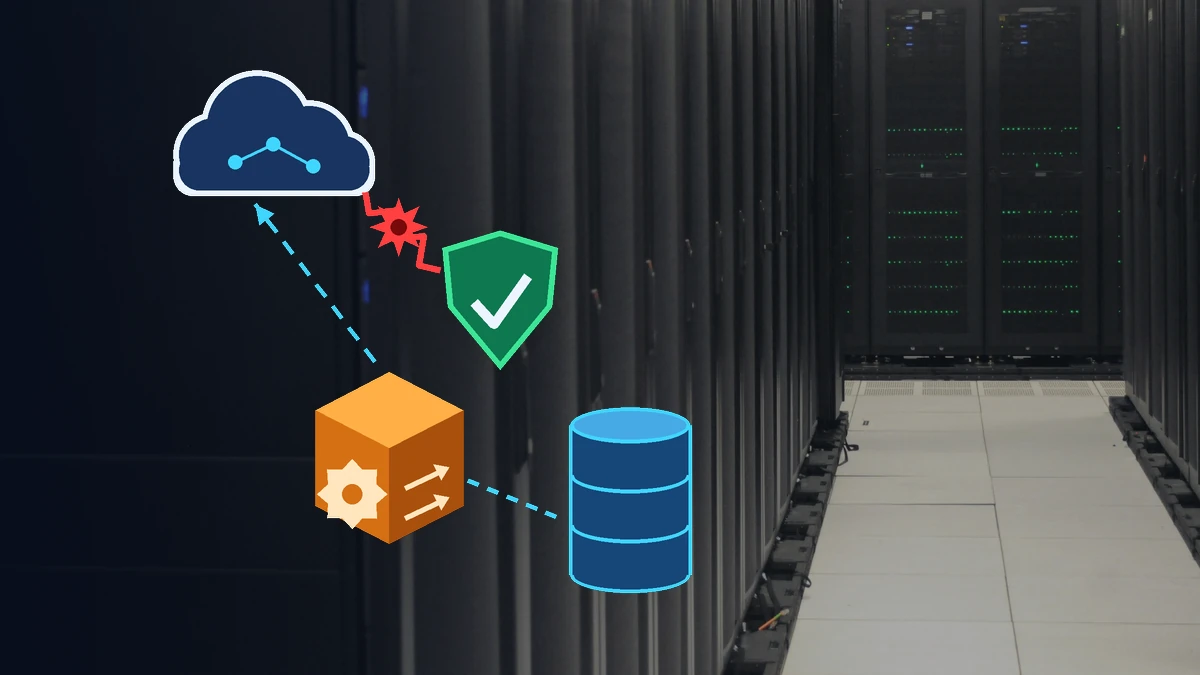
Microsoft shipped its monthly security updates on November 10, 2026, and SQL Server got a large share. In Microsoft Security Response Center (MSRC) data for the release, 53 CVEs cover SQL Server or its JDBC driver. The most severe, CVE-2026-116945, scores 9.8 out of 10: a heap-based buffer overflow that lets an unauthenticated attacker execute code over the network.
Most teams will react the same way: "Port 1433 isn't exposed to the internet, so this can wait." The trouble is that Microsoft describes the attack path somewhere else. According to the FAQ for this CVE, the attacker doesn't connect to your server at all. They need control of an endpoint that your "integration package" connects to on its own. Put simply, the risk this time travels over connections your systems open to the outside, not connections coming in.
This piece is for teams that run SQL Server inside their product or organisation, especially if SSIS handles ETL and data movement. It covers three things: what is actually at risk this month, which package fits each version, and two behaviour changes that can quietly break your overnight jobs after you install.
What Microsoft actually said
The official text on CVE-2026-116945 is short. Here is Microsoft's answer to "How could an attacker exploit this vulnerability?":
An attacker who controls a network endpoint used by an affected integration package could return a specially crafted response when the package connects. Processing the response could allow code execution in the integration service context. The attacker does not need SQL Server credentials or additional user interaction when the package runs automatically.
Microsoft doesn't name SSIS here, but "integration package" and "integration service" are Integration Services vocabulary. This month's fix lists support that reading: they include a fix for an integer overflow in the SSIS HTTP Connection Manager. Microsoft hasn't said which fix maps to which CVE, so treat that link as our inference, not a quote.
The same official page tells you a few more things:
- At release, Microsoft did not mark the flaw as publicly disclosed or exploited, and rates it "Exploitation Less Likely".
- Its CVSS vector is
AV:N/AC:L/PR:N/UI:N: network attack, low complexity, no prior privileges, no user interaction. - SQL Server 2017, 2019, 2022 and 2025 are all listed as affected, on both the GDR and CU branches.
So there are no published reports of real-world attacks yet, and no reason to panic. But a package that runs unattended at 2 a.m. and pulls a rates or orders file from a partner's service is exactly the "runs automatically, no user interaction" case the text describes. If that outside service, or the route to it, is compromised, that is where your security boundary sits.
Who should worry most this month
Not all 53 entries matter equally to everyone. For several of them, MSRC spells out a specific precondition. This table is built from those descriptions:
| If your environment has… | Relevant entry | Precondition per Microsoft |
|---|---|---|
| SSIS packages that connect to an outside service or URL | CVE-2026-116945 (9.8) | Control of an endpoint the package connects to; no credentials needed |
| Packages that process input files automatically | CVE-2026-116946 (8.8) | Authenticated permission to supply the package's input file |
| Replication across several servers | CVE-2026-118106 (8.1) plus several elevation-of-privilege entries | Control of a replication peer; for 118106, no account on the target server |
| Restores from backups you don't fully trust | CVE-2026-116933 and CVE-2026-116936 (7.2) | Restore or similar admin permission and a crafted backup file |
| Low-privileged users or services that can connect | Dozens of code-execution and privilege entries scored 7 to 8.8 | A low-privilege login; per Microsoft, some reach sysadmin or SYSTEM |
| Java apps using Always Encrypted with secure enclaves and HGS | CVE-2026-70003 (8.7) in the JDBC driver | Controlling or impersonating the server during a client connection; fix is JDBC driver 13.6.0 |
That last row is a useful reminder: not every fix lands on the server. If you ship a Java product that uses Always Encrypted with enclaves, the driver dependency has to be bumped in your own project.
The backup row matters for software vendors too. Support teams often restore a customer's .bak file on an internal server to reproduce a bug. This month is a good reason to do that on an isolated, patched machine, not on the main development server or on a box that can reach everything.
Pick the right package: GDR or CU
Every SQL Server version has two servicing paths. GDR brings security fixes and other broadly applicable critical fixes only. CU carries every accumulated fix. Each installation sits on one of the two, and the security package has to match that path. Start by finding out exactly where you are:
SELECT
    SERVERPROPERTY('ProductVersion')         AS ProductVersion,
    SERVERPROPERTY('ProductLevel')           AS ProductLevel,
    SERVERPROPERTY('ProductUpdateLevel')     AS UpdateLevel,  -- e.g. CU27
    SERVERPROPERTY('ProductUpdateReference') AS KB,
    SERVERPROPERTY('Edition')                AS Edition;
Then compare ProductVersion with Microsoft's official table for this CVE:
| Version and path | November package | Build after install | Apply if current build is in |
|---|---|---|---|
| 2025, CU path | KB5129299 | 17.0.5045.3 | 17.0.4006.2 – 17.0.5035.5 |
| 2025, GDR path | KB5132748 | 17.0.1155.3 | 17.0.1000.7 – 17.0.1145.4 |
| 2022, CU path | KB5129300 | 16.0.4315.2 | 16.0.4003.1 – 16.0.4305.5 |
| 2022, GDR path | KB5132747 | 16.0.1220.3 | 16.0.1000.6 – 16.0.1210.3 |
| 2019, CU path | KB5132745 | 15.0.4510.2 | 15.0.4003.23 – 15.0.4500.2 |
| 2019, GDR path | KB5132751 | 15.0.2210.4 | 15.0.2000.5 – 15.0.2200.2 |
| 2017, CU path | KB5132746 | 14.0.3570.2 | 14.0.3006.16 – 14.0.3560.2 |
| 2017, GDR path | KB5132749 | 14.0.2150.2 | 14.0.1000.169 – 14.0.2140.2 |
With dozens of instances, matching by eye goes wrong sooner or later. This Python function encodes the same table and takes the output of the query above. Anything that falls outside every range is set aside for manual review:
NOV_2026 = [  # (KB, title, fixed build, range low, range high)
    ("5129299", "2025 CU10+GDR", "17.0.5045.3", "17.0.4006.2", "17.0.5035.5"),
    ("5132748", "2025 RTM+GDR",  "17.0.1155.3", "17.0.1000.7", "17.0.1145.4"),
    ("5129300", "2022 CU27+GDR2","16.0.4315.2", "16.0.4003.1", "16.0.4305.5"),
    ("5132747", "2022 RTM+GDR",  "16.0.1220.3", "16.0.1000.6", "16.0.1210.3"),
    ("5132745", "2019 CU32+GDR", "15.0.4510.2", "15.0.4003.23","15.0.4500.2"),
    ("5132751", "2019 RTM+GDR",  "15.0.2210.4", "15.0.2000.5", "15.0.2200.2"),
    ("5132746", "2017 CU31+GDR", "14.0.3570.2", "14.0.3006.16","14.0.3560.2"),
    ("5132749", "2017 RTM+GDR",  "14.0.2150.2", "14.0.1000.169","14.0.2140.2"),
]
parse = lambda v: tuple(int(x) for x in v.split("."))

def pick(version):
    v = parse(version)
    for kb, title, fixed, lo, hi in NOV_2026:
        if v == parse(fixed):
            return "patched", kb
    for kb, title, fixed, lo, hi in NOV_2026:
        if parse(lo) <= v <= parse(hi):
            return "install", kb
    return "check-manually", None
Printing the result for a few sample builds gives:
   16.0.4295.3  install         KB5129300  SQL Server 2022 CU27+GDR2
   16.0.1210.3  install         KB5132747  SQL Server 2022 RTM+GDR
   15.0.4430.1  install         KB5132745  SQL Server 2019 CU32+GDR
   16.0.4315.2  patched         KB5129300  SQL Server 2022 CU27+GDR2
   16.0.4325.4  check-manually
   13.0.6500.1  check-manually
The last two rows are there on purpose: each is a situation the table doesn't answer.
If you're on a CU newer than the table
On November 12, two days after the security release, Microsoft shipped CU28 for SQL Server 2022 (build 16.0.4325.4) and CU11 for SQL Server 2025 (build 17.0.5065.9). Both build numbers sit above the top of the table's ranges, and neither appears in the CVE table. Both CU pages list the same SSIS fixes, the HTTP Connection Manager fix and XSLT scripting being turned off, but unlike the security package pages they carry no CVE numbers. If you run one of these CUs, you most likely have the fix. Still, check the MSRC entry and the relevant KB again before you tick "done" in a security report. Microsoft's own note under the table says that a version's absence from the table doesn't, on its own, establish its status.
If you still run SQL Server 2016
SQL Server 2016 reached end of support on July 14, 2026. It does not appear in November's product list. Don't read that as "safe". It only means no package for it is listed here. According to Microsoft's documentation, Extended Security Updates (ESUs) ship only for vulnerabilities MSRC rates Critical, with no fixed cadence. If you bought ESUs, follow up through that channel. If you didn't, this month is one more reason to move the migration off the "later" list. The logic is the same as in our article ".NET 8 and 9 Are Out of Support" on this site: software that no longer gets patches becomes a little less safe every month.
Don't forget the standalone SSIS server
An update package only updates the components installed on that machine. If Integration Services runs on a separate ETL server without the database engine, you have to run the package there too, and a SERVERPROPERTY query on the database server tells you nothing about that box. If SSISDB sits in an Always On availability group, read Microsoft's separate guidance on patching SSIS with Always On before you start.
Two changes that can break your overnight jobs
Security updates aren't always silent. This month's KB pages list two items worth testing in a staging environment first.
XSLT scripting in the XML Task is off by default. Every November package notes that XSLT scripting in the SSIS XML Task is now disabled by default. If your stylesheet has an msxsl:script block, say to call C# for date conversion or number formatting, it will very likely stop running after the update. Microsoft does provide a way back: set EnableXsltScript to 1 under HKLM\SOFTWARE\Microsoft\Microsoft SQL Server\{version}\SSIS\XMLTask. But when the vendor decides to switch a feature off by default, switching it back on should be your last option, not your first. The same logic can usually be rebuilt with plain XSLT functions or a separate Script Task.
Monitoring trouble during database recovery. The CU-path packages for 2022 and 2025 list a known issue: a query against sys.dm_exec_requests that runs while a database is recovering can raise an access violation and write a dump file. Recovery here can mean a RESTORE, startup recovery, or an availability group replica that hasn't finished coming online. Plenty of monitoring tools and scripts poll that DMV constantly. Microsoft offers three mitigations: enable trace flag 4696, avoid that query against recovering databases, or uninstall the update. The third puts you back in the vulnerable state, which is a poor trade this month.
Before you install, know which packages call out
Patching is the real fix, but a list of packages that connect outward pays for itself several times: it sets the install order, it tells you what outbound traffic to allow, and it tells you what to test afterwards. Start on the server:
-- Packages deployed to the SSIS catalog
SELECT f.name AS folder_name, pr.name AS project_name, pk.name AS package_name
FROM SSISDB.catalog.packages AS pk
JOIN SSISDB.catalog.projects AS pr ON pk.project_id = pr.project_id
JOIN SSISDB.catalog.folders  AS f  ON pr.folder_id  = f.folder_id
ORDER BY f.name, pr.name, pk.name;

-- SQL Agent jobs that run SSIS packages
SELECT j.name AS job_name, s.step_name, s.command
FROM msdb.dbo.sysjobs AS j
JOIN msdb.dbo.sysjobsteps AS s ON j.job_id = s.job_id
WHERE s.subsystem = 'SSIS';
The catalog tells you which packages you have, not what's inside them. Package contents live in .dtsx files, which are usually in your source repository as well. This simple script walks .dtsx files and stylesheets and flags a few patterns: HTTP Connection Managers, http and https URLs, the Web Service Task, XSLT operations in the XML Task, and msxsl:script blocks:
import re, sys, pathlib

RULES = {
    "http-connection": re.compile(r'CreationName="HTTP"', re.I),
    "url":             re.compile(r'https?://[^\s"<>]+', re.I),
    "webservice-task": re.compile(r'WebServiceTask', re.I),
    "xml-task-xslt":   re.compile(r'OperationType="XSLT"', re.I),
    "xslt-script":     re.compile(r'msxsl:script', re.I),
}
IGNORE_URL = re.compile(r'www\.w3\.org|schemas-microsoft-com|microsoft\.com/SqlServer', re.I)

for p in sorted(pathlib.Path(sys.argv[1]).rglob("*")):
    if p.suffix.lower() not in {".dtsx", ".xsl", ".xslt"}:
        continue
    text = p.read_text(encoding="utf-8", errors="ignore")
    hits = []
    for name, rx in RULES.items():
        found = [m.group(0) for m in rx.finditer(text)]
        if name == "url":
            found = [u for u in found if not IGNORE_URL.search(u)]
        if found:
            hits.append(f"{name}: {found[0][:80]}")
    print(f"{p.name:<18} {'; '.join(hits) or 'nothing flagged'}")
On a few sample files we built ourselves, the output is:
Clean.dtsx         nothing flagged
LoadRates.dtsx     http-connection: CreationName="HTTP"; url: https://partner.example.net/rates.xml
Transform.dtsx     xml-task-xslt: OperationType="XSLT"
orders.xslt        xslt-script: msxsl:script
This is a text search, not a real parse of the package model. A URL that comes from a variable, a project parameter or a catalog environment won't show up in the file. Treat the output as a starting point and review every hit by hand. If you store packages in msdb rather than as files, export them first.
With that list, two follow-up steps get easier:
- Restrict outbound traffic from the ETL server. The SSIS server should reach only the destinations on your list. That doesn't replace the patch, but if an unknown destination ever enters the picture, it widens the gap between "vulnerable" and "attacked".
- Shrink the account that runs packages. Microsoft's text says code runs "in the integration service context". Whatever that account, or the SQL Agent proxy, can reach, an attacker can reach too. A package that reads one exchange-rate file has no business running as sysadmin.
This week's plan
- Use the
SERVERPROPERTYquery to record the build and path of every instance, then find the right package in the table. Count standalone SSIS servers separately. - Patch first the servers whose scheduled packages connect to outside services or URLs. Then move to replication and to servers where outside backups get restored.
- Before production, run packages that use XSLT with
msxsl:scriptin staging. Test your monitoring tool through a restore or failover too. - If you have Java apps using Always Encrypted with enclaves, move the JDBC driver to 13.6.0.
- For SQL Server 2016 instances, settle the ESU question and put a migration date in the calendar, not on a wish list.
If your product runs on SQL Server and also uses it for newer work such as vector search, our article "A Support Assistant Over Your Own Docs with .NET and SQL Server" on this site shows how that layer is built. Every new feature runs on the same engine and needs the same patches.
The two Python scripts in this article were run together with their tests, and the sample package files were built by us for that test; none of them come from a real environment. The T-SQL queries are written from Microsoft's documentation, so try them on a test instance before relying on them. Package and build details reflect Microsoft's pages as of November 24, 2026; if Microsoft updates those pages, the official pages win.
Sources
- MSRC Security Update Guide: CVE-2026-116945
- Microsoft CVRF data for the November 2026 security updates
- NVD record for CVE-2026-116945
- KB5129300: SQL Server 2022 CU27 security update, November 10, 2026 and KB5129299: SQL Server 2025 CU10 security update
- KB5132745: SQL Server 2019 CU32 security update and KB5132749: SQL Server 2017 GDR security update
- CU28 for SQL Server 2022 (KB5125472) and CU11 for SQL Server 2025 (KB5129223)
- SQL Server 2022 build versions and SQL Server 2025 build versions
- SERVERPROPERTY documentation
- Extended Security Updates for SQL Server and ESU FAQ
- SSIS HTTP Connection Manager
- catalog.packages view in SSISDB
Comments
No comments yet. Be the first to write one.